Training & Credentialing
Ready to care. Ready to grow.
Training, orientation and credentials, organized in one caregiver workspace.
The MyCG Caregiver App helps approved caregivers review readiness tasks, complete assigned learning, upload requested credentials and find the resources that support every shift.
For approved MyCG caregivers. Training requirements may vary by caregiver role, assignment and MyCG requirements.
Training & documents ready
Credentials organized
Your readiness journey
A clear path from approval to ongoing readiness.
Approved account
Access begins after MyCG caregiver approval.
Complete orientation
Review onboarding steps and required tasks.
Training & credentials
Complete assigned learning and provide requested records.
Stay ready
Use resources, notifications and support to remain prepared.
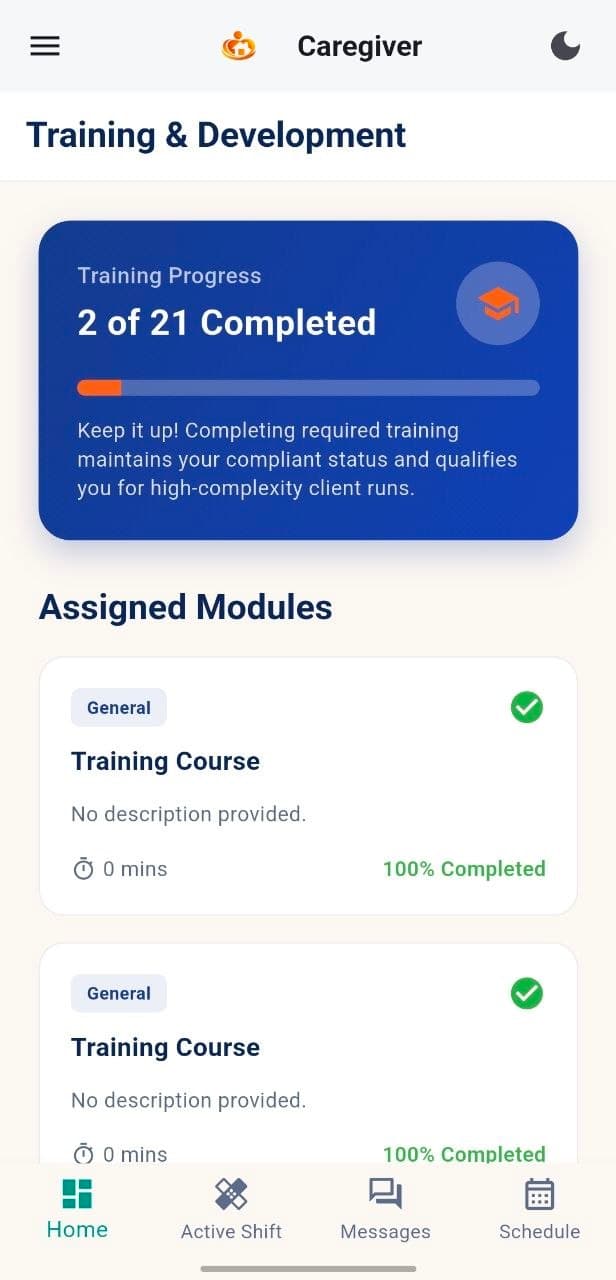
Training & Development
Know what is complete, and what comes next.
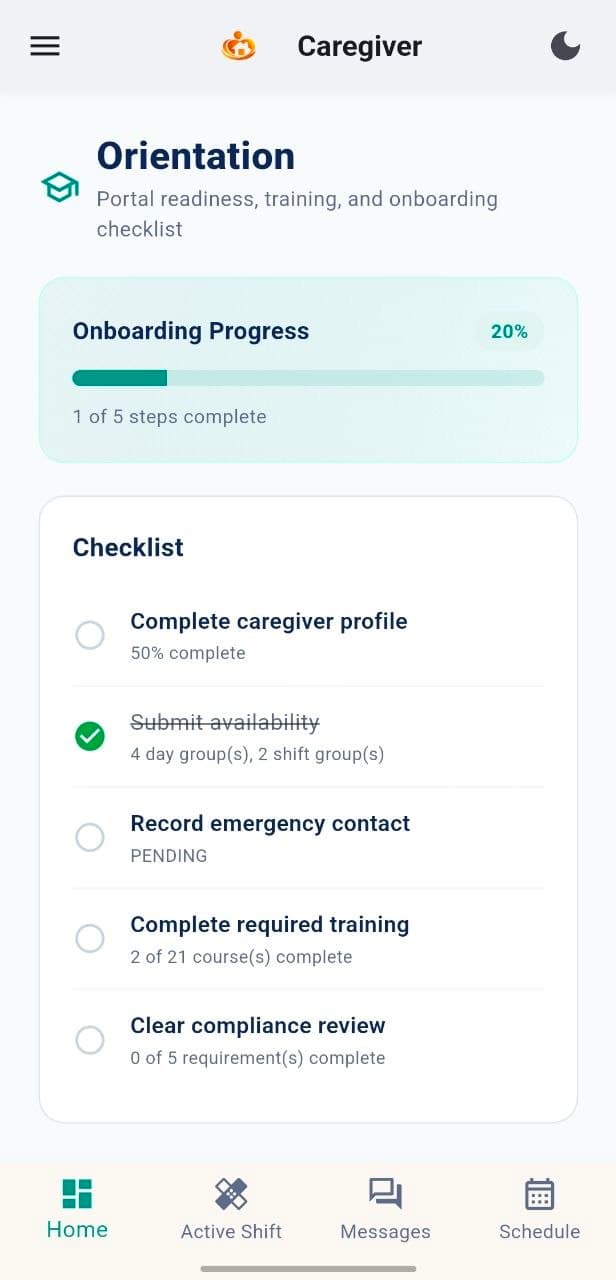
See assigned modules, progress and remaining readiness tasks from one organized view.
Assigned modules
Review learning connected to your caregiver role.
Progress tracking
See completed and remaining items.
Orientation checklist
Follow onboarding tasks in sequence.
Readiness status
Understand what still needs attention.
Training requirements may vary by caregiver role, assignment and MyCG requirements.
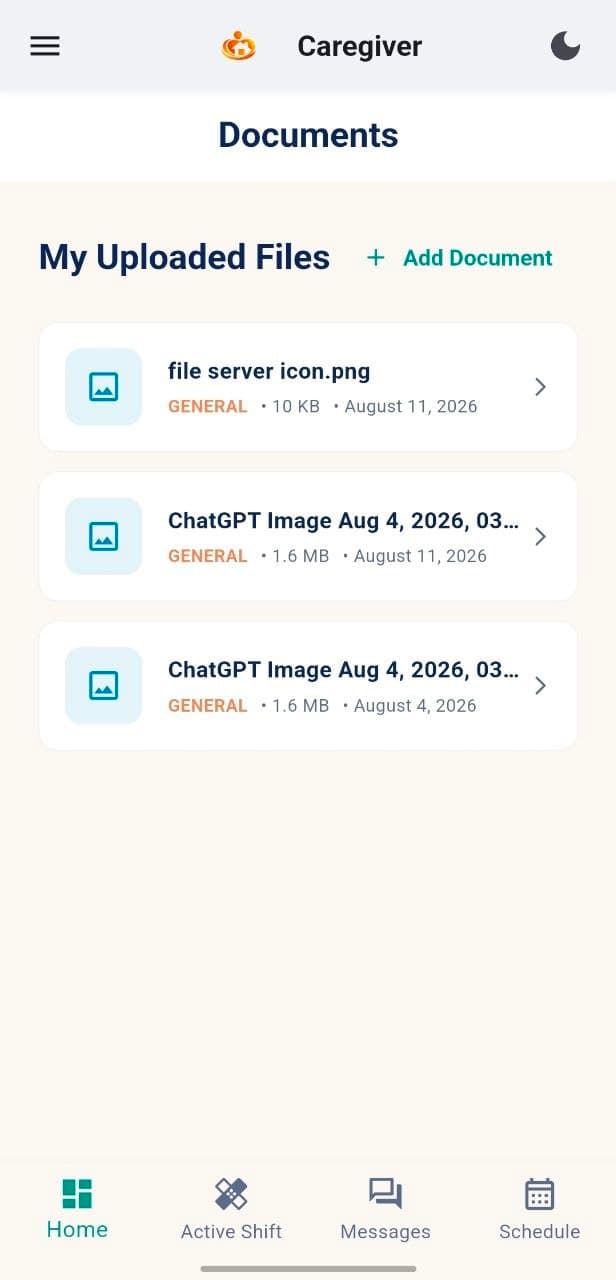
Documents & Credentials
Keep required caregiver records organized.
Use Documents to review requested records, upload credentials and understand when additional action is needed.
My Profile
Elena Gilbert
Readiness: 2 of 4 complete
Profile information
Complete
Training
In progress
Documents
2 of 4 complete
Availability
Complete
Requested records
See what documents are needed for your role and assigned work.
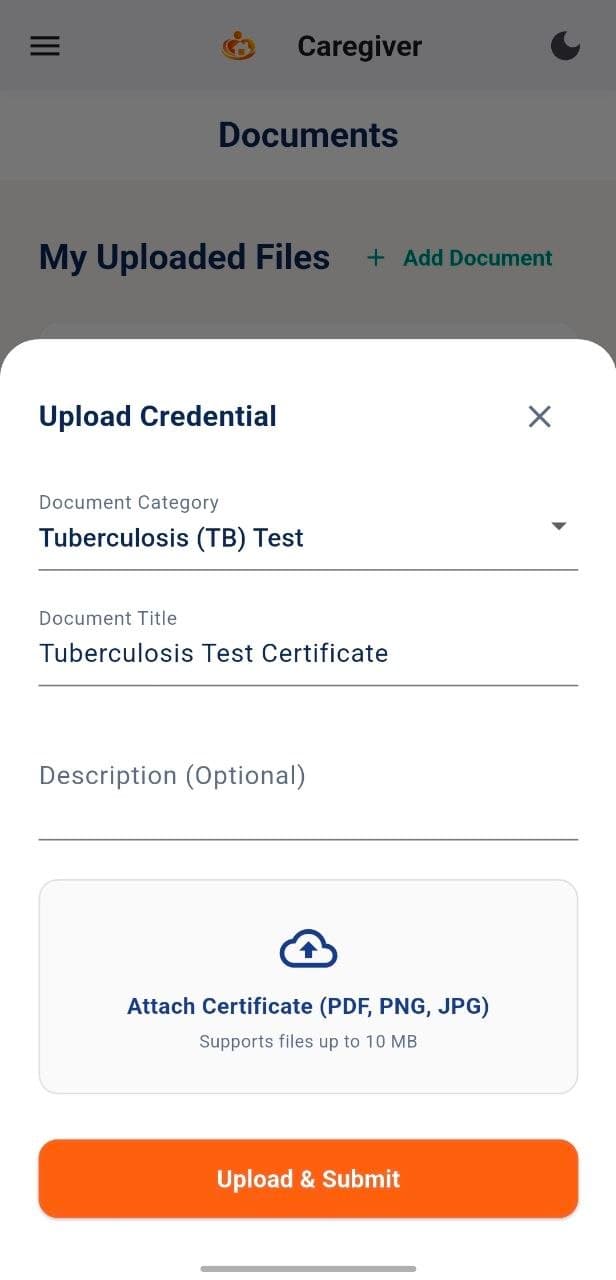
Simple uploads
Upload clear, readable files by following the instructions in the app.
Document status
Check whether a file is received, under review or needs attention.
Connected profile
Keep documents and caregiver profile information organized together.
PNG
JPG
Follow the file instructions shown in the app.
From request to ready
A simpler credential workflow.
Review requirement
See what document or record is needed.
Prepare the document
Gather a clear file in the correct format.
Upload in the app
Submit the requested file using Documents.
Check status
Review the available document status.
Contact Support
Ask a non-urgent question when assistance is needed.
Learning & Resources
Build confidence beyond onboarding.
Continue learning, review approved guides and return to resources whenever your workday requires them.
Training modules
Assigned learning and completion progress.
Guides & policies
Approved reference material in one place.
Practical checklists
Helpful preparation and safety guidance.
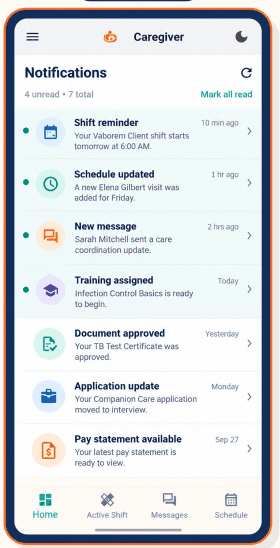
Stay current
Important readiness updates remain easy to find.
Review new training assignments
Check document-related updates
Keep profile and contact details current
Use Support for non-urgent questions
For urgent or safety concerns, contact your care coordinator directly or follow the appropriate emergency process.
Caregiver readiness connects to the wider MyCG care ecosystem.
MyCG CareOS helps coordinate approved assignments, training information, caregiver records and support across one connected experience.
Approved caregiver
Training progress
Credential status
MyCG CareOS connection
Common questions
Training and credentialing questions, answered.
Where do I find my assigned training?
How do I know when a module is complete?
What credentials can I upload?
What if a document needs to be updated?
Where can I find caregiver guides and policies?
Who can help with a training or credential question?
Get started
Keep your caregiver readiness moving forward.
Open the MyCG Caregiver App to review training, credentials, resources and support.