MyCG Caregiver App
Caregiving, organized.
Your shifts, clients and professional tools in one secure app.
The MyCG Caregiver App helps caregivers prepare for assignments, review schedules, communicate with the care team, maintain credentials and reach support from one connected workspace.
For approved MyCG caregivers.
Next shift ready
Work in one place
Explore the Caregiver App
Choose what you would like to discover.
Eight focused guides introduce the app and connect each visitor to the information they need.
01
About Caregiver App
Learn how MyCG brings shifts, clients, communication and caregiver readiness into one mobile workspace.
Learn about the app
02
How to Download the Caregiver App
Find the right app store, install MyCaregiver and follow the secure sign-in and setup steps.
View download guide
03
Benefits of Using the Caregiver App
See how clearer assignments, timely updates and easier access to tools support each workday.
Explore the benefits
04
MyCG Caregiver App Features
Explore schedules, clients, messages and availability, plus documents, pay, training and support.
See app features
05
App Connection to MyCG CareOS
Understand how caregiver activity connects with the wider MyCG care coordination ecosystem.
Discover the connection
06
MyCG Caregiver App FAQs
Get answers about access, schedules, credentials, training, pay information and support.
Read common questions
07
Training & Credentialing
See required training modules, orientation progress and how to keep credentials current and compliant.
View training & credentials
08
Getting Started Guide
Follow the steps from approval to your first shift: install, sign in, complete your profile and orientation.
See the getting started guide
Work at a glance
Review the next shift, upcoming assignments and readiness.
Clear communication
Open messages and notifications linked to caregiver work.
Credentials and growth
Keep documents, training and orientation progress close.
Support when needed
Send a non-urgent request to the care coordinator.
Next Shift
Assignment details
Schedule
Assigned shifts
My Clients
Client summaries
Messages
Conversations
Availability
Days and leave
Documents
Credentials
Training
Modules and progress
Pay
Rate references
Prepared for every assignment
Your day is clear before the shift begins.
Elena's dashboard brings the nearest work, upcoming schedule and account readiness into view. Next Shift adds the assignment time, visit location, client needs, checklist and care coordinator.
Review assigned work
See the next shift and weekly schedule without searching separate tools.
Prepare before arrival
Check visit details, client needs and the preparation checklist.
Keep help close
Care coordinator details and support routes remain available.
Across the caregiver journey
More than a schedule.
GET STARTED
One home base for every shift
Open the app to a simple, focused workspace built around the caregiver day.
SECURE ACCESS
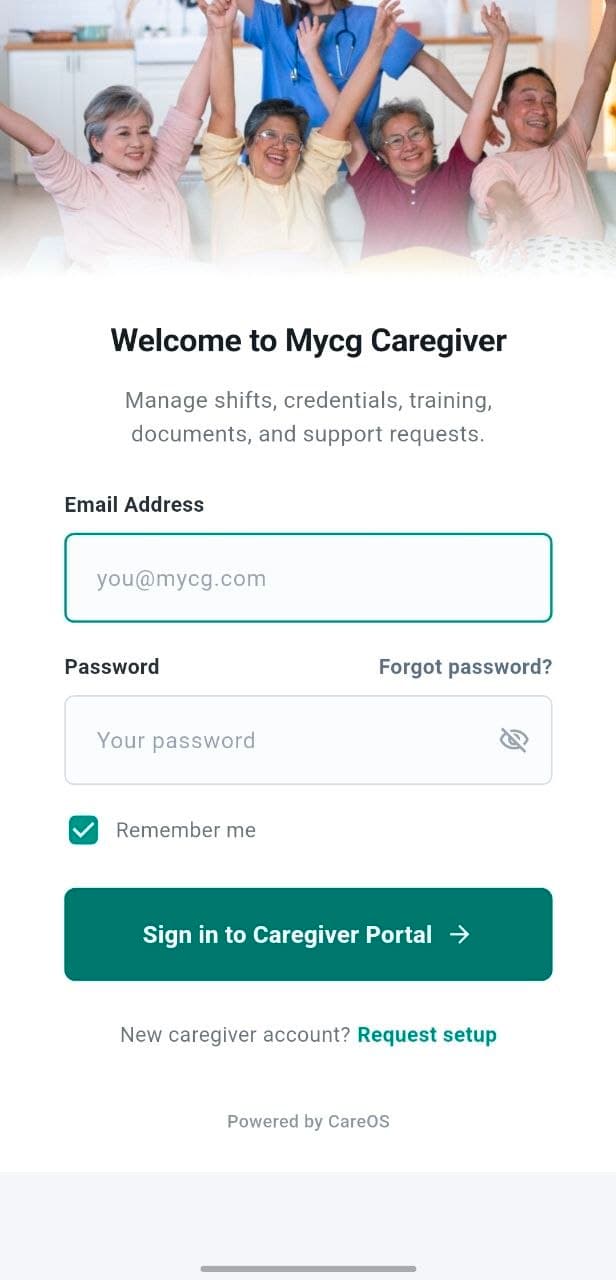
Sign in to your caregiver account
A dedicated caregiver sign-in keeps assignments, clients and records behind approved access.
READINESS
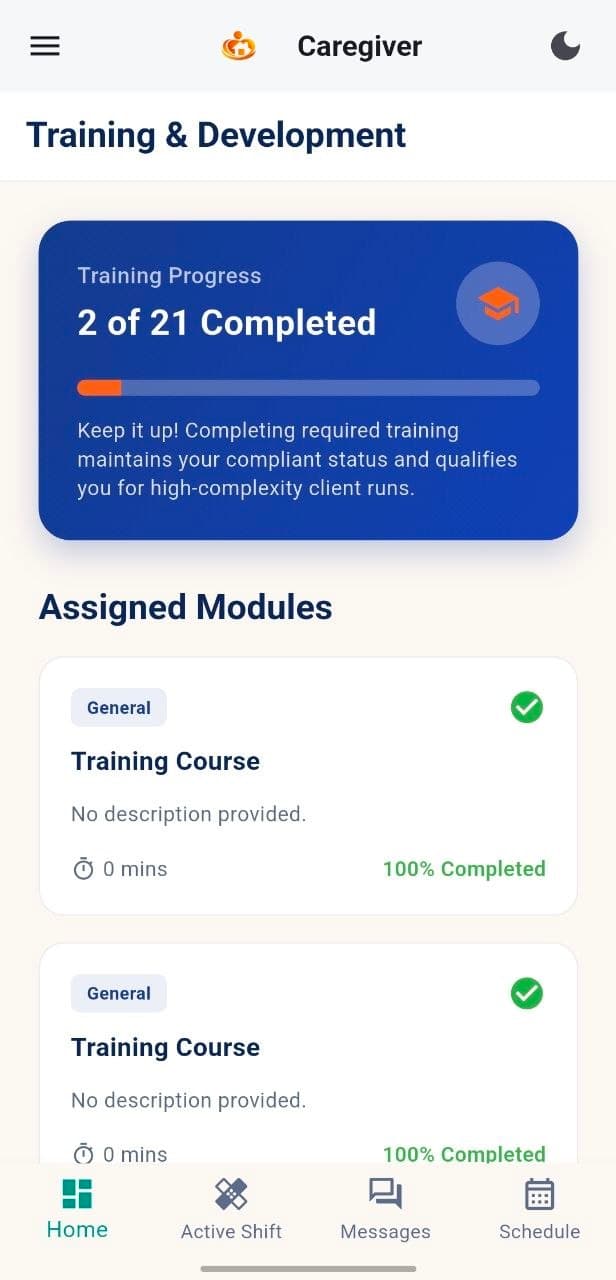
Training and development
Track assigned learning, module progress and completion so credentials stay current.
SCHEDULING
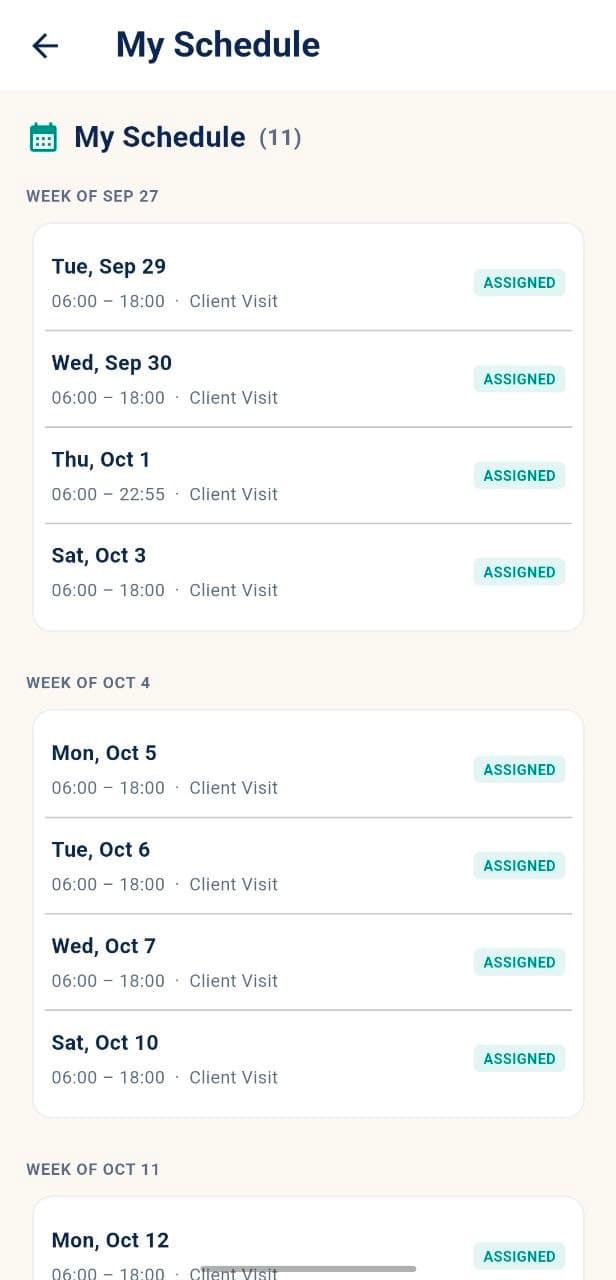
Your schedule at a glance
Review assigned shifts week by week, with visit dates, times and client-visit details.
CLIENT WORK
Every shift names the client
Each assigned shift shows the client visit window, so caregivers always know who they are supporting next.
PLANNING AHEAD
Plan your upcoming weeks
See future assigned shifts in advance to prepare and manage availability.
Get the Caregiver App
Download, sign in and begin your caregiver setup.
Install the MyCG Caregiver App, sign in with the approved caregiver account and use Orientation to review profile, emergency contact, training and compliance tasks.
Secure caregiver sign-in
Dashboard and next shift
Training and orientation
Documents and support
Built for caregivers
Clear access. Responsible use. Practical support.
Caregiver work, account readiness and care-team communication stay within an authenticated MyCG experience.
Secure sign-in
Approved credentials protect access to assignments and account details.
Readiness visibility
Profile, onboarding and training show where attention is needed.
Connected updates
Messages and notifications keep work-related updates together.
Coordinator support
Use Support for non-urgent help. Urgent safety issues go directly to the care coordinator.
Caregiver activity connects to the wider MyCG care ecosystem.
MyCG CareOS supports the flow of approved assignments, schedule information, communication, documents and readiness updates used in the mobile experience.
Assigned work
Caregiver action
Care-team visibility
Follow-up
Frequently asked questions
Answers caregivers may need first.
Who can use the MyCG Caregiver App?
Where can I see my assigned shifts?
How do I update my availability?
Can I upload caregiver credentials?
Where do I find training and orientation?
How do I request support?
Your next shift starts with the right information.
Keep schedules, readiness tools and support close with the MyCG Caregiver App.